MCP + Multi-Agent — How Agents Share Tools and Collaborate

MCP + Multi-Agent — How Agents Share Tools and Collaborate
A single agent is powerful. But complex tasks in the real world are hard to solve with just one agent. What if you need to research, code, and review all at the same time? The answer is having multiple agents take on their own roles and collaborate.
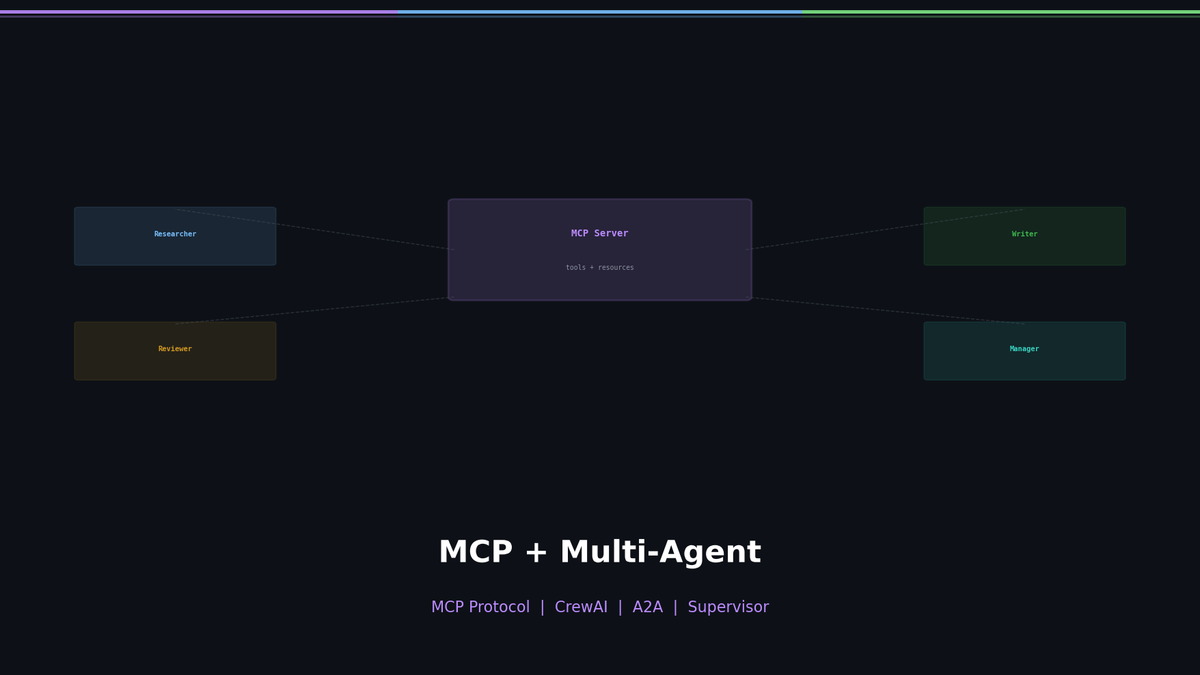
In this post, we cover how to standardize tool integration with MCP (Model Context Protocol), build multi-agent teams with CrewAI, and enable agents to communicate with each other using A2A (Agent-to-Agent) patterns.
Series: Part 1: ReAct Pattern | Part 2: LangGraph + Reflection | Part 3 (this post) | Part 4: Production Deployment
The N×M Integration Problem
When building agents, you quickly hit a wall. What if you have 3 agents and 5 tools?
With a direct integration approach, you need to build a separate connector for each agent-tool pair. 3 × 5 = 15 connectors. Every time you add an agent or change a tool, the amount of code to maintain grows exponentially.
This is the N×M integration problem. Connecting N agents to M tools requires N×M integrations. MCP reduces this to N+M.
What Is MCP (Model Context Protocol)?
MCP is an open standard created by Anthropic that provides a universal way for LLMs to connect to external systems.
The best analogy is USB-C. Before USB-C, every device needed a different charger. MCP works the same way — it unifies the various tool connection methods that differed across LLMs into a single standard protocol.
The 3 Core Primitives of MCP
- Resources — Data exposed by the server (files, DB records, logs, etc.)
- Prompts — Pre-defined templates for structured requests
- Tools — Executable functions that perform actual operations
Architecture: Server + Client
MCP uses a server-client architecture.
- MCP Server: Registers and exposes tools
- MCP Client: Discovers servers and invokes tools
- Host: An LLM app with an embedded client (Claude Desktop, VS Code, etc.)
┌──────────────┐ ┌──────────────┐ ┌──────────────┐
│ MCP Client │────▶│ MCP Server │────▶│ External │
│ (LLM App) │◀────│ (Tools) │◀────│ Service │
└──────────────┘ └──────────────┘ └──────────────┘Building an MCP Server
Let's build an MCP server in practice. This server exposes two tools: searching an internal database and sending Slack messages.
from mcp import Server, Tool
server = Server("my-tools")
@server.tool()
def search_database(query: str) -> str:
"""Search the company database for relevant information."""
results = db.search(query)
return format_results(results)
@server.tool()
def send_slack(channel: str, message: str) -> str:
"""Send a message to a Slack channel."""
slack.post(channel, message)
return f"Sent to #{channel}"
server.run()The key is the @server.tool() decorator. The function name, docstring, and type hints automatically become the tool's metadata. The LLM reads this information to decide which tool to call and when.
What the Server Exposes
Calling the server's list_tools() method returns a schema like this:
[
{
"name": "search_database",
"description": "Search the company database for relevant information.",
"input_schema": {
"type": "object",
"properties": {
"query": {"type": "string", "description": "Search query"}
},
"required": ["query"]
}
},
{
"name": "send_slack",
"description": "Send a message to a Slack channel.",
"input_schema": {
"type": "object",
"properties": {
"channel": {"type": "string"},
"message": {"type": "string"}
},
"required": ["channel", "message"]
}
}
]Connecting Tools with the MCP Client
The client operates in three steps:
Step 1: Discovery
# Ask the server what tools are available
tools = await client.list_tools()
print(f"Available tools: {[t.name for t in tools]}")
# => Available tools: ['search_database', 'send_slack']Step 2: Conversion
Convert MCP tool definitions into a format the LLM understands (e.g., OpenAI function calling format).
def mcp_to_openai_functions(mcp_tools):
"""Convert MCP tool schema to OpenAI function format"""
return [
{
"type": "function",
"function": {
"name": tool.name,
"description": tool.description,
"parameters": tool.input_schema,
}
}
for tool in mcp_tools
]
functions = mcp_to_openai_functions(tools)Step 3: Execution
When the LLM decides to call a tool, the client executes it.
# Extract tool_call from LLM response and execute
result = await client.call_tool(
name="search_database",
arguments={"query": "Q4 revenue report"}
)Thanks to these three steps, any LLM can use tools from the same MCP server. Claude, GPT, and Gemini can all connect to the same server.
Practical Setup: claude_desktop_config.json
To connect MCP servers in Claude Desktop, add them to the config file:
{
"mcpServers": {
"filesystem": {
"command": "npx",
"args": ["-y", "@modelcontextprotocol/server-filesystem", "/Users/me/projects"]
},
"github": {
"command": "npx",
"args": ["-y", "@modelcontextprotocol/server-github"],
"env": { "GITHUB_TOKEN": "ghp_xxx" }
},
"postgres": {
"command": "npx",
"args": ["-y", "@modelcontextprotocol/server-postgres", "postgresql://localhost/mydb"]
}
}
}There is already a rich ecosystem of pre-built MCP servers for Filesystem, GitHub, Slack, PostgreSQL, and more. You can just use them without building your own.
CrewAI: Role-Based Multi-Agent
Now that we've solved tool integration with MCP, let's look at how to orchestrate multiple agents.
CrewAI is a role-playing-based multi-agent framework. You assemble a virtual team, assign each member a role and goal, and have them collaborate.
3 Core Components
Full Example: Research → Blog Writing
from crewai import Agent, Task, Crew
# 1. Define Agents — clearly specify role, goal, and backstory
researcher = Agent(
role="Senior Research Analyst",
goal="Find comprehensive information about {topic}",
backstory=(
"A research specialist with 10 years of experience. "
"Excels at quickly grasping the core of complex technical topics and organizing them."
),
allow_delegation=False, # Don't delegate to other agents
)
writer = Agent(
role="Technical Writer",
goal="Create engaging blog posts from research",
backstory=(
"An award-winning technical blogger. Explains difficult concepts simply "
"while never compromising on accuracy."
),
allow_delegation=False,
)
# 2. Define Tasks — what to do, who does it, what's the output?
research_task = Task(
description="Research {topic} thoroughly. Include latest trends and key statistics.",
agent=researcher,
expected_output="Detailed research report with sources",
)
writing_task = Task(
description="Write a blog post based on the research. Make it engaging and informative.",
agent=writer,
expected_output="Complete blog post in markdown format",
context=[research_task], # Key: research results feed in as input
)
# 3. Run the Crew
crew = Crew(
agents=[researcher, writer],
tasks=[research_task, writing_task],
process="sequential", # Sequential execution
)
result = crew.kickoff(inputs={"topic": "AI Agents in 2026"})
print(result)context=[research_task] is the key point. The output of research_task is automatically passed as input to writing_task. The data flow between agents is explicitly defined.
Why backstory Matters
In CrewAI, backstory is not decoration. LLMs behave according to the persona they are given. When you provide a backstory like "a research specialist with 10 years of experience," the model produces more systematic and in-depth research results. A well-crafted backstory = better output.
Process Types
Sequential
Researcher → Writer → EditorThe output of each preceding task becomes the input of the next. Well-suited for pipeline workflows.
Hierarchical
Manager
/ | \
Researcher Writer EditorA manager agent dynamically assigns and coordinates tasks. More complex but more flexible.
Connecting Tools
Attaching tools to an agent is straightforward:
from crewai_tools import SerperDevTool, WebsiteSearchTool
researcher = Agent(
role="Research Analyst",
tools=[SerperDevTool(), WebsiteSearchTool()],
verbose=True, # Print reasoning process
)Connecting MCP server tools to CrewAI agents completes the combination of standardized tools + role-based collaboration.
A2A: Agent-to-Agent Communication
If MCP is the "agent-to-tool" connection, A2A (Agent-to-Agent) is the "agent-to-agent" connection.
The core idea: expose the agent itself as a tool.
class ResearchAgent:
def __init__(self):
self.llm = ChatOpenAI(model="gpt-4o")
def research(self, topic: str) -> str:
"""Perform deep research on a topic."""
return self.llm.invoke(f"Research: {topic}")
def as_tool(self):
"""Convert agent to a tool — callable by other agents"""
return Tool(
name="research_agent",
description="Delegate research tasks to a specialized research agent",
func=self.research,
)
# Manager uses ResearchAgent like a tool
research_agent = ResearchAgent()
manager = Agent(
role="Project Manager",
tools=[research_agent.as_tool()],
)Delegation Topologies
Supervisor Pattern
A single manager delegates tasks to subordinate agents.
Supervisor
/ | \
Agent A Agent B Agent C- Pros: Centralized control, easy task tracking
- Cons: The supervisor can become a bottleneck
- Example: Customer support system (router distributes to specialized agents)
Peer-to-Peer Pattern
Agents communicate and collaborate directly with each other.
Agent A ←→ Agent B
↕ ↕
Agent C ←→ Agent D- Pros: No bottleneck, flexible collaboration
- Cons: Coordination is complex, risk of infinite loops
- Example: Code review team (developers review each other's code)
CrewAI vs LangGraph: When to Use Which?
How do you choose between LangGraph from Part 2 and CrewAI from this post?
Rule of thumb: If you want to get multi-agent up and running quickly, go with CrewAI. If you need fine-grained control over state management and branching, choose LangGraph.
Architecture Selection Guide
Here is a summary of which pattern to choose for real-world projects.
Start with Single Agent + MCP. It is plenty powerful. The moment a single agent is no longer enough is when you should introduce multi-agent.
Key Takeaways
- MCP is a standard protocol that reduces the N×M integration problem to N+M
- MCP servers register tools, and clients use them in three steps: Discovery → Conversion → Execution
- CrewAI is a role-based multi-agent framework composed of Agent + Task + Crew
- The A2A pattern exposes agents as tools, enabling delegation between agents
- Choose between Supervisor and Peer-to-Peer topologies based on your task characteristics
Hands-On Practice in the Agent Cookbook
If you want to run the code from this post yourself, check out the hands-on exercises available as Jupyter notebooks.
- Week 3: MCP & A2A Notebook — MCP server/client implementation, A2A delegation patterns
- Week 3: CrewAI Notebook — Building role-based agent teams
- Weekend Project — A practical project integrating everything learned this week
Next Up
In Part 4, we deploy agents to production. No matter how well-built an agent is, it means nothing if it isn't deployed.
- Guardrails — Safety mechanisms to prevent agents from going off the rails
- Human-in-the-Loop — Having humans confirm critical decisions
- FastAPI + Docker — Deploying as an API server
- DSPy — Automating prompt optimization