Getting Started with AgentScope — From Installation to Your First Agent
Install AgentScope, learn 5 core concepts (Agent, Model, Memory, Toolkit, Formatter), and build a tool-using ReAct agent.
Getting Started with AgentScope — From Installation to Your First Agent
Ask ChatGPT to "analyze this CSV file" and it says "please upload the file." Ask an AgentScope agent the same thing and it opens the file itself, runs pandas, and shows you the results.
In this post, you'll install AgentScope, build a ReAct agent with tools, and watch it execute real code.
Series: Part 1 (this post) | Part 2: Multi-Agent Pipelines 🔒 | Part 3: MCP Server Integration 🔒 | Part 4: RAG + Memory 🔒 | Part 5: Realtime Voice Agents 🔒 | Part 6: Production Deployment 🔒
What You'll Build in This Series
By Part 5, you'll build real voice AI applications — not just tutorials, but working apps you can share with anyone.
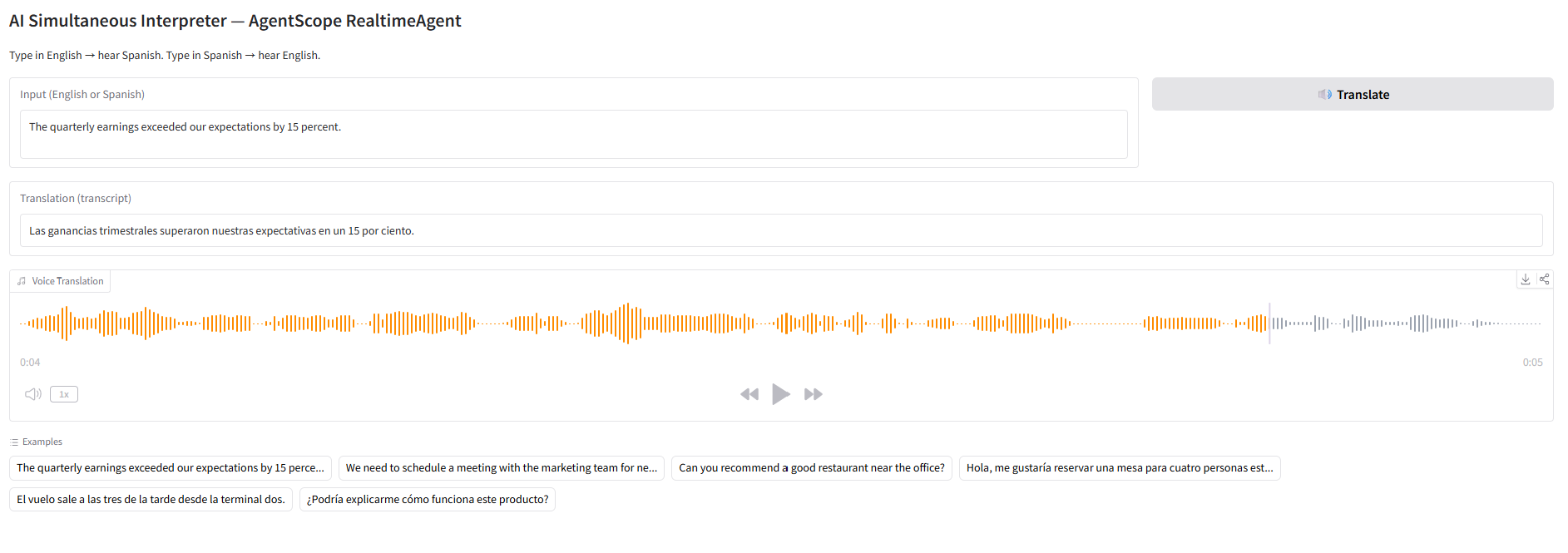
AI Simultaneous Interpreter — type in English, hear Spanish (and vice versa):
Voice Customer Service Bot — an agent that looks up orders and processes refunds by voice:
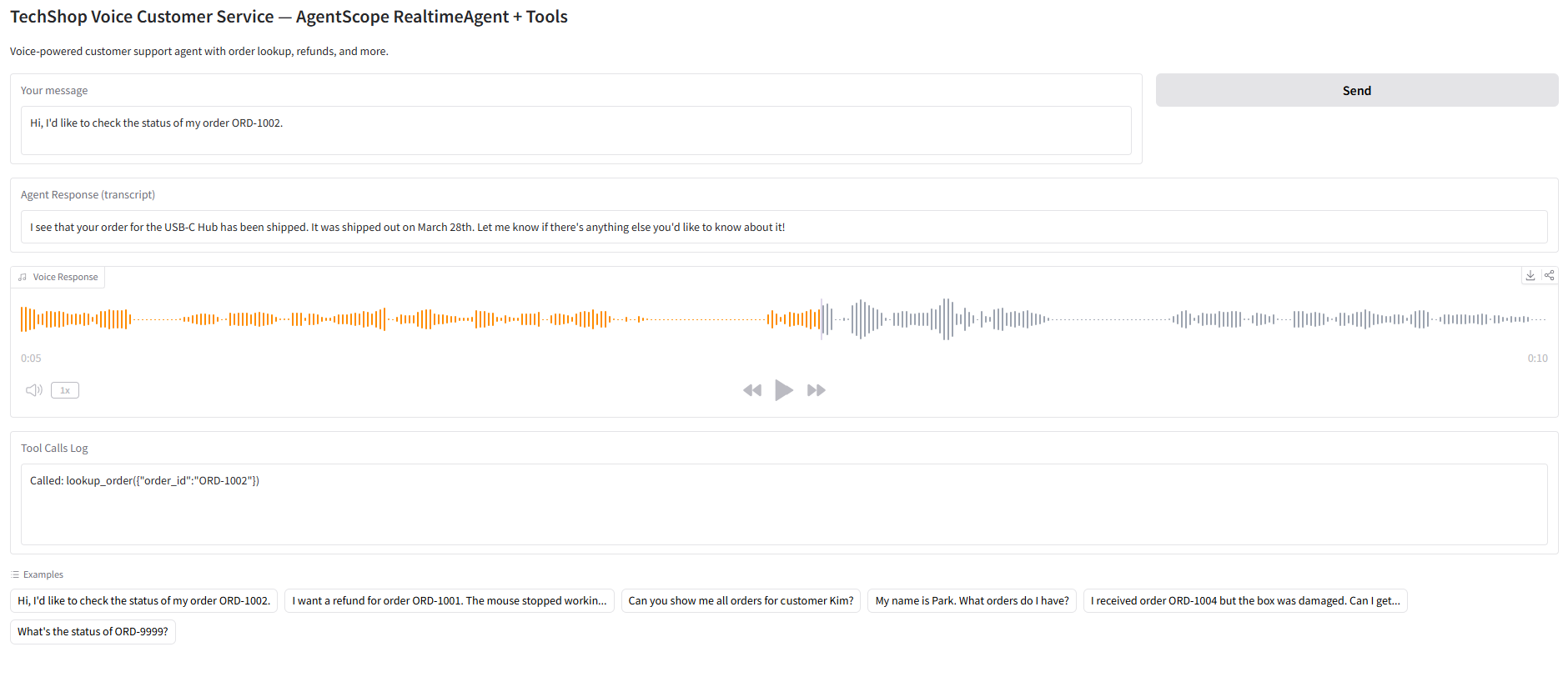
These run as standalone Python files with a Gradio UI. Every piece of code is explained step by step.
Ready to build these? Jump to Part 5: Build 3 Voice AI Apps
1. What is AgentScope?
AgentScope is an open-source multi-agent framework built by Alibaba's Tongyi Lab.
| Details | |
|---|---|
| GitHub | agentscope-ai/agentscope (22K+ stars) |
| Version | v1.0.18 (March 2026) |
| License | Apache 2.0 |
| Python | 3.10+ |
| Philosophy | Agent-Oriented Programming |
Compared to other frameworks:
- LangGraph — designs workflows as graphs (nodes, edges, state)
- CrewAI — organizes agent teams by roles (role, goal, backstory)
- AgentScope — treats agents as first-class objects composed via async/await
AgentScope's standout features are its fully async architecture and built-in ReActAgent.
2. Installation
Basic install
pip install agentscopeWith all model backends
pip install agentscope[models]Full install (RAG, memory, A2A, etc.)
pip install agentscope[full]Feature-specific install
pip install agentscope[rag]        # RAG + vector stores
pip install agentscope[memory]     # Redis + Mem0 + ReMe memory
pip install agentscope[a2a]        # Agent-to-Agent protocol
pip install agentscope[realtime]   # Realtime voice
pip install agentscope[tuner]      # RL fine-tuning
3. Five Core Concepts
Understanding AgentScope requires knowing five abstractions.
3-1. Agent
The fundamental building block. ReActAgent is the most commonly used.
from agentscope.agent import ReActAgent

agent = ReActAgent(
    name="Friday",
    sys_prompt="You are a helpful coding assistant.",
    model=model,
    memory=memory,
    toolkit=toolkit,
)
ReActAgent implements the ReAct (Reasoning + Acting) pattern internally, automatically looping through "think → call tool → observe result → next action."
3-2. Model
Abstracts LLM backends.
from agentscope.model import OpenAIChatModel

model = OpenAIChatModel(
    model_name="gpt-4o",
    api_key="sk-...",
    stream=True,
)
Supported models:
OpenAIChatModel— OpenAI, DeepSeek, vLLM, any OpenAI-compatible APIAnthropicChatModel— ClaudeGeminiChatModel— GeminiDashScopeChatModel— Qwen (Alibaba)OllamaChatModel— Local models
3-3. Memory
Manages conversation history.
from agentscope.memory import InMemoryMemory

memory = InMemoryMemory()
Three backends:
InMemoryMemory— in-process memory (for development)RedisMemory— Redis-backed (distributed)AsyncSQLAlchemyMemory— SQLite/PostgreSQL (persistent)
3-4. Toolkit
A collection of tools the agent can use.
from agentscope.tool import Toolkit, execute_python_code, execute_shell_command

toolkit = Toolkit()
toolkit.register_tool_function(execute_python_code)
toolkit.register_tool_function(execute_shell_command)
Built-in tools:
execute_python_code— run Python codeexecute_shell_command— run shell commandsview_text_file— read fileswrite_text_file— write files
Registering custom tools is straightforward:
def get_weather(city: str) -> str:
    """Get the current weather for a city."""
    return f"The weather in {city} is sunny, 22°C"

toolkit.register_tool_function(get_weather)
3-5. Formatter
Automatically converts messages to model-specific formats.
from agentscope.formatter import OpenAIChatFormatter

formatter = OpenAIChatFormatter()
Different models expect different message formats (OpenAI's messages, Anthropic's messages + system, Gemini's contents). Formatters abstract away these differences.
4. Building Your First Agent
Let's combine all the pieces to create a ReAct agent that uses tools.
from agentscope.agent import ReActAgent, UserAgent
from agentscope.model import OpenAIChatModel
from agentscope.formatter import OpenAIChatFormatter
from agentscope.memory import InMemoryMemory
from agentscope.tool import Toolkit, execute_python_code
import asyncio, os

async def main():
    # 1. Register tools
    toolkit = Toolkit()
    toolkit.register_tool_function(execute_python_code)

    # 2. Create agent
    agent = ReActAgent(
        name="DataAnalyst",
        sys_prompt="You are a data analyst. Use Python to analyze data and answer questions.",
        model=OpenAIChatModel(
            model_name="gpt-4o",
            api_key=os.environ["OPENAI_API_KEY"],
            stream=True,
        ),
        memory=InMemoryMemory(),
        formatter=OpenAIChatFormatter(),
        toolkit=toolkit,
    )

    # 3. User agent (terminal input)
    user = UserAgent(name="user")

    # 4. Conversation loop
    msg = None
    while True:
        msg = await agent(msg)
        msg = await user(msg)
        if msg.get_text_content().lower() == "exit":
            break

asyncio.run(main())
Run it and you can chat with the agent in your terminal:
user: Calculate the first 20 Fibonacci numbers
DataAnalyst: [Thinking] I need to write Python code to generate Fibonacci numbers.
DataAnalyst: [Tool Call] execute_python_code
DataAnalyst: The first 20 Fibonacci numbers are: 0, 1, 1, 2, 3, 5, 8, 13, 21, 34, 55, 89, 144, 233, 377, 610, 987, 1597, 2584, 4181
5. Creating Custom Tools
In practice, you'll create and register custom tools. Let's build a simple web search tool.
import httpx

def search_web(query: str, max_results: int = 3) -> str:
    """Search the web using DuckDuckGo and return top results.

    Args:
        query: The search query string.
        max_results: Maximum number of results to return.

    Returns:
        A formatted string of search results.
    """
    url = "https://api.duckduckgo.com/"
    params = {"q": query, "format": "json", "no_html": 1}
    resp = httpx.get(url, params=params, timeout=10)
    data = resp.json()

    results = []
    for item in data.get("RelatedTopics", [])[:max_results]:
        if "Text" in item:
            results.append(item["Text"])

    return "\n".join(results) if results else "No results found."

toolkit.register_tool_function(search_web)
Key point: The tool function's docstring matters. AgentScope parses docstrings to describe tools to the LLM. The types and descriptions in the Args section must be accurate.
6. Structured Output
You can configure agents to return structured JSON instead of free text.
from pydantic import BaseModel

class AnalysisResult(BaseModel):
    summary: str
    key_findings: list[str]
    confidence: float

agent = ReActAgent(
    name="Analyst",
    sys_prompt="Analyze the given data and return structured results.",
    model=model,
    memory=memory,
    formatter=formatter,
    toolkit=toolkit,
    structured_output=AnalysisResult,  # specify Pydantic model
)
7. Memory Compression
For long conversations, auto-compression prevents exceeding the context window.
from agentscope.agent import CompressionConfig

agent = ReActAgent(
    name="Friday",
    sys_prompt="...",
    model=model,
    memory=memory,
    formatter=formatter,
    toolkit=toolkit,
    compression=CompressionConfig(
        max_tokens=4000,       # compress when exceeding this token count
        keep_recent=5,         # keep the 5 most recent messages
    ),
)
Compressed memory includes:
- Task overview
- Current state
- Key discoveries
- Next steps
- Context to preserve
8. Agent Hook System
Customize agent behavior using hooks.
async def logging_hook(agent, msg):
    print(f"[LOG] {agent.name} received: {msg.get_text_content()[:50]}")
    return msg

agent = ReActAgent(
    name="Friday",
    sys_prompt="...",
    model=model,
    memory=memory,
    formatter=formatter,
    toolkit=toolkit,
    hooks={
        "pre_reply": [logging_hook],
        "post_reply": [logging_hook],
    },
)
Available hook points:
pre_reply— before the agent respondspost_reply— after the agent respondspre_observe— before observing a messagepost_observe— after observing a messagepre_print/post_print— before/after output
Wrap-up
What we covered:
- Installing AgentScope (basic / models / full)
- Five core concepts: Agent, Model, Memory, Toolkit, Formatter
- Building a tool-using ReAct agent
- Registering custom tools
- Structured output, memory compression, hook system
Next up, we'll connect multiple agents using pipelines and set up group conversations with MsgHub.
Next: Part 2: Multi-Agent Pipelines — MsgHub + FanoutPipeline
Part 1 of 6 complete
5 more parts waiting for you
From theory to production deployment — subscribe to unlock the full series and all premium content.
Subscribe to Newsletter
Related Posts
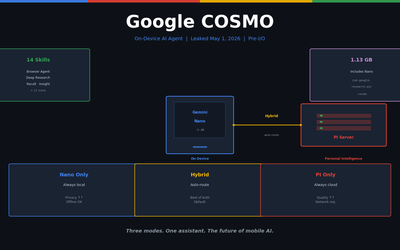
Inside Google COSMO — The New Architecture of On-Device AI Agents
Deep-dive into COSMO, Google's next-gen AI assistant accidentally leaked before I/O 2026. Full breakdown of the 3-mode architecture: Gemini Nano + PI server + Hybrid routing.
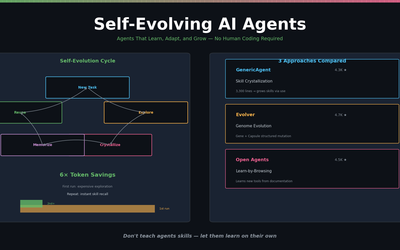
Self-Evolving AI Agents — The New Paradigm of 2026
GenericAgent, Evolver, Open Agents — comparing 3 self-evolving agent frameworks that learn, adapt, and grow without human coding.
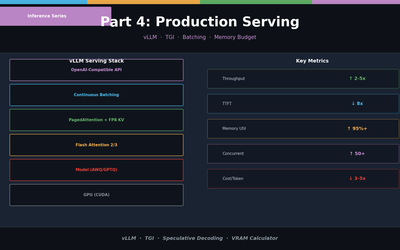
LLM Inference Optimization Part 4 — Production Serving
Production deployment with vLLM and TGI. Continuous Batching, Speculative Decoding, memory budget design, and throughput benchmarks.