Mobile Claude Code: three approaches, and what actually works
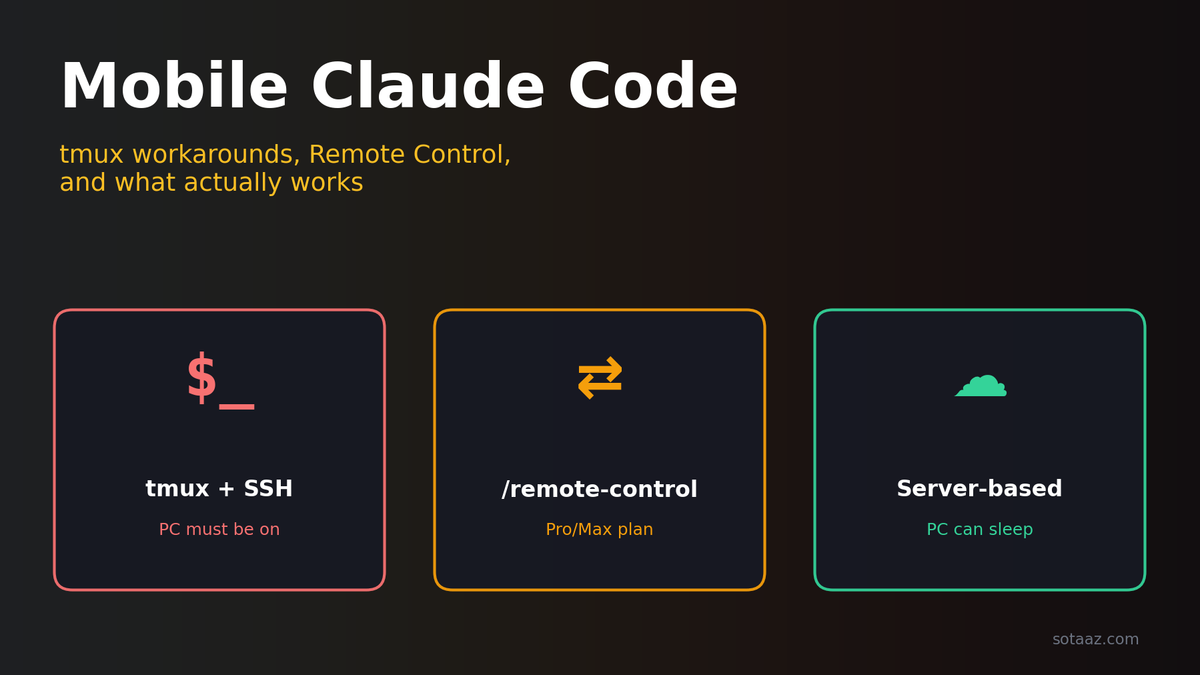
Three ways to reach Claude Code from your phone — tmux + SSH, /remote-control, and server-based agents. The real fix isn't "mobile support" but decoupling compute from your device.
You're on the train home. Somewhere between two stations, the fix for the bug that stumped you all afternoon becomes obvious. You pull out your phone. What can you actually do?
For most of us in 2026, there are three options, and all three fall short.
First, SSH into your laptop over tmux — hoping Claude Code is still alive in the session you left, and typing git status on a mobile keyboard without a typo. Second, open the Claude mobile app and hope /remote-control still has your session, which only works if you didn't close the terminal before leaving the office. Third, give up and text yourself a note, trusting your future desk-self to remember.
All three are workarounds, and all three share the same broken assumption: that the machine doing the compute has to be the one you last touched. Drop that assumption, and the problem changes shape entirely.
This piece walks through where each of the three current defaults breaks, and what shifts when you put the agent on a server that never sleeps. I'll use VibeCheck as the concrete example, but the argument is about the architecture, not the product.
Approach 1 — tmux + SSH
The reflexive answer for most of us. It costs nothing extra and roughly works.
# On your laptop, before you leave
tmux new -s claude
claude

# From your phone (Blink Shell on iOS, Termux on Android, etc.)
ssh laptop
tmux attach -t claude
If your laptop stays open, doesn't sleep, holds its network, and you never closed the terminal window during the day — it works. You get Claude Code on your phone.
The trouble is how often that premise breaks:
- The laptop sleeps or restarts. The tmux session is gone. The
.jsonlconversation history survives on disk, but the process is dead — so you reconnect and have toclaude --resume, guessing which session was the one you cared about. - Signal drops. The SSH connection dies, and on reconnect you have no idea whether the last command finished, half-finished, or is still running. There's no reattaching to the stream — you scroll back through the tmux pane and read.
- You can't attach an image. An error screenshot, a mockup, a whiteboard photo — you end up scp'ing files with paths typed on a mobile keyboard, or dumping them into a cloud drive first.
- Switching projects is painful. The session is bound to whichever directory you launched
claudefrom. Switching means killing the session,cd, relaunching — losing context each time. - The mobile terminal UX is genuinely bad. The keyboard swallows half the screen, arrow keys hide three long-presses deep, copy-paste breaks across most iOS terminal apps, and the two-finger swipe to read long output collides with the browser's back gesture.
None of these is a showstopper alone. Together, they make tmux + SSH the emergency stairs — a last resort, not a first choice.
Approach 2 — official Remote Control
Anthropic shipped `/remote-control` inside Claude Code. Type it in your terminal, get a URL and QR code, scan with your phone, and your active session is mirrored in the browser at claude.ai/code. The UI is good — proper mobile layout, streaming responses, tool-call visualization.
This solves the mobile UX problem completely. But it inherits a subtler one.
Remote Control is a mirror, not a host. The Claude Code process still runs on your laptop. So the laptop still has to be on (it freezes if it sleeps), not terminated (closing the terminal that launched claude kills the process and Remote Control with it), and connected (if the laptop's network drops, the phone sees nothing).
There are practical constraints too. It mirrors one session at a time, so checking a script running in another project means physically switching sessions on the laptop — which defeats the point of using your phone. There's no auto-recovery: if the connection drops, you SSH back in and re-issue /remote-control for a fresh URL. And as a claude.ai product surface, it currently requires a Pro or Max subscription — you can't pay per-token via the API instead.
Remote Control is the right move if you're already paying for Claude Code, your workflow is single-session, and you keep your laptop on. It's a clear improvement over tmux for those cases. But the underlying architecture is the same: the compute lives on the device you left behind, and the mobile experience depends on that device staying awake.
Approach 3 — native mobile apps
Apps like Happy Coder are the third category: install on your phone, manage a remote Claude Code session, and the keyboard problem disappears. Being real mobile apps, they give you native gestures, native paste, a native image picker.
The trade-off is that they still push the compute back to your PC (or to a mobile-native SDK on the phone itself, with its own constraints). You get a great experience for whichever code you can reach, but session persistence, project browsing, and cross-device continuity all depend on the app's architectural choices.
The pattern is the same as the first two: fix the interface, leave the compute topology alone.
The real problem isn't mobile UX — it's where the compute lives
All three approaches accept the same premise: the agent runs on the device you last touched. Whether that's a laptop, a phone, or a rented app runtime, the moment it's unavailable — asleep, terminated, offline, in your bag — the coding stops.
The mobile UX problem is a symptom. The real problem is the frame itself: "coding from your phone." What you actually want is three things:
- Compute that runs when you're not there. So the fix you thought of on the train can be typed with one thumb, and the agent just does it — regardless of signal.
- A conversation that follows you. Same session on the train, at your desk, or on your laptop that night. No copy-paste, no catching it up on what you were doing.
- Enough surface area to actually work. Multiple projects, multiple sessions, browsable and freely switchable — what you'd do at a desk, at a smaller size.
Reframed that way, the answer is obvious: put the agent on a server, put a good web UI in front of it, and reach it from whatever device is closest.
VibeCheck's approach
This is exactly what VibeCheck does, in three layers.
The agent layer: vibecheck-agent runs on your server (VPS, home NUC, whatever) as a systemd service, driving Claude Code headless via the Claude Agent SDK. It survives reboots.
The hub layer: a WebSocket hub in the middle. The agent connects *out* to it, browsers connect *in*. Your server never opens an inbound port, so it works fine behind NAT or a corporate firewall.
The UI layer: a mobile-first web interface — streaming responses, tool-call visualization, drag-and-drop image upload, project browser. Same URL from phone or laptop.
The result: your phone and laptop each open a browser to the hub, while the actual Claude Code process runs on a third machine that neither has to think about. None of the three endpoints (phone, laptop, server) depends on the state of the other two.
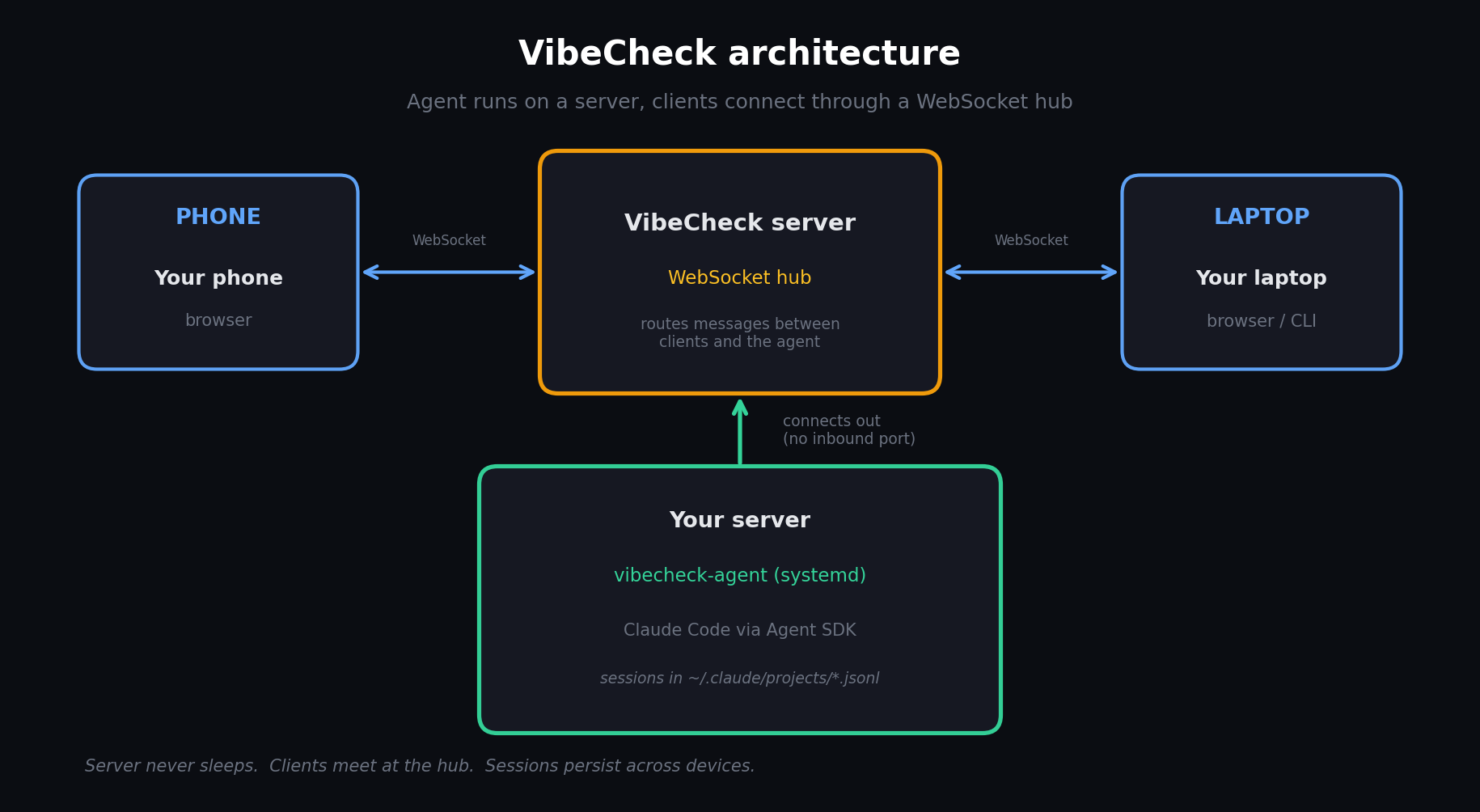
One subtle but critical detail: sessions are stored in `~/.claude/projects/` as `.jsonl` files — the same format the Claude Code CLI uses. So a session you start on the web shows up in your local claude CLI when you SSH in later, and a session you start from the CLI appears in the browser. The "browse all projects" UI walks every project directory the agent can reach and surfaces every session across all of them. You're not maintaining a parallel history for the web — you're giving your existing Claude Code history a second interface.
Where tmux breaks, and how this answers it
| Failure with tmux + SSH | What VibeCheck does |
|---|---|
| Session dies with laptop restart | Systemd auto-restart. Watchdog exits after 5 min of failed reconnect; a cron health check brings it back. |
| Signal drops mid-command | The agent keeps running. Reconnect and you get the current state, streamed from where it is now. |
| Can't attach an image | Drag-and-drop a screenshot from your phone's gallery; it auto-uploads. |
| Can't switch projects | Project browser in the web UI — click, switch, continue. |
| Bad mobile terminal UX | It's a website. Real keyboard input, real paste, real touch scroll. |
What it shares with Remote Control, and what it adds
Both give you a first-class mobile web UI, stream responses, and visualize tool calls. VibeCheck adds four things: your laptop can be closed (the session lives on the server), access to all projects and all sessions rather than just the current one, auto-recovery through crashes, network drops, and deploys via watchdog + cron, and any API key — no Pro/Max requirement, pay-per-token works.
What Remote Control still does better
To be fair, a few things. There's zero setup — /remote-control is one command in a running session, while VibeCheck needs you to install the agent, wire up systemd, and connect an API key (about fifteen minutes if you know your way around a shell). Its native polish is ahead: claude.ai/code is a mature Anthropic product, whereas VibeCheck's self-hosted UI is a solid open-source page, not app-store polished. And if you're already on Claude Max, Remote Control is bundled — no separate cost to evaluate.
The comparison table
| tmux + SSH | /remote-control | VibeCheck | |
|---|---|---|---|
| Compute lives on | Your laptop | Your laptop | A server (24/7) |
| PC can be closed? | ❌ | ❌ | ✅ |
| Sessions across devices | Same tmux, different SSH | Mirror of current session | Full sync, all projects |
| Session persistence | Until laptop reboots | Until terminal closes | Until you delete it |
| Reconnect after drop | Manual tmux attach | Manual re-issue | Automatic (client + watchdog) |
| Image upload | scp / cloud drive | Yes | Drag-and-drop |
| Multiple projects | One per tmux session | Current session only | Browse all |
| Mobile UX | Terminal (bad) | Web (good) | Web (good) |
| Cost model | Whatever you paid before | Pro/Max required | Any API key or self-hosted |
| Setup | None | None | ~15 min |
When each makes sense
Rather than declare a winner, match the approach to the situation.
tmux + SSH — when you're on your home LAN with a laptop that's always on, when you're the only user with short sessions, or when you'd rather not trust a new tool.
`/remote-control` — when you already pay for Pro/Max and live inside Claude Code all day, when mobile is an occasional check-in on a single session, or when you value zero setup above all.
VibeCheck (or something like it) — when mobile is a first-class surface rather than a fallback, when you want all your projects reachable, when the agent has to survive laptop shutdowns, deploys, and unattended overnight work, when you're paying per-token via API and want to keep it that way, or when you want the compute box fully separate from any endpoint.
Getting started
Cloud (fastest)
# After signing in at vibecheck.sotaaz.com and grabbing your API key
curl -sL https://vibecheck.sotaaz.com/install/YOUR_API_KEY | bash
Then open vibecheck.sotaaz.com/chat from any browser.
Self-hosted (free, open-source)
git clone https://github.com/NestozAI/VibeCheck
cd VibeCheck/self-hosted
./setup.sh
# open http://localhost:8501
The self-hosted flavor runs entirely on your infrastructure. The self-hosted guide covers Slack integration, TLS, and running behind a reverse proxy.
Where this goes next
The word "mobile" has been carrying too much weight. The real shift isn't desktop to phone — it's from device-bound compute to location-independent compute. The agent lives somewhere reliable, and you visit it from whichever screen is closest.
It's the same shift that happened to email in the mid-2000s (POP3 on your laptop → IMAP on a server → web UI everywhere), to source control in the 2010s (local repos → hosted git → PRs on your phone), and to editors right now (local IDE → remote-first Cursor/Codespaces). The direction is always the same: compute moves off the endpoints, and interfaces multiply.
The train scenario from the opening shouldn't feel exotic. You type the fix from your phone, close the app, and know it's running — then open your laptop that night to a diff already waiting.
Your PC can sleep. Your code doesn't have to.
*VibeCheck is open source (MIT) and available as a hosted service at vibecheck.sotaaz.com. Built because we kept losing tmux sessions.*
Subscribe to Newsletter
Related Posts
Build Your Own LLM Knowledge Base — A Karpathy-Style Knowledge System
Complete guide to building a permanent personal knowledge system with Obsidian + Claude Code. Wiki + Memory dual-axis architecture.
Why Karpathy's CLAUDE.md Got 48K Stars — And How to Write Your Own
One markdown file raised AI coding accuracy from 65% to 94%. Analyzing Karpathy's 4 rules and practical writing guide.
Why AI Forgets Everything — 3 Open-Source Solutions to the Memory Crisis
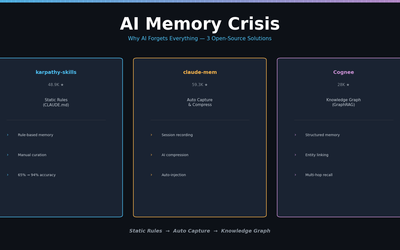
karpathy-skills, claude-mem, Cognee — comparing 3 approaches to solving the AI memory problem.