Cursor vs Claude Code vs Codex (2026): Pricing, How Each Agent Works, and Which to Use per Task
Hands-on three-way comparison: Cursor (VS Code with AI built in), Claude Code (an agent in your terminal), Codex (an agent in the cloud). Pricing as of March 2026, task-by-task recommendations, and how to combine them.
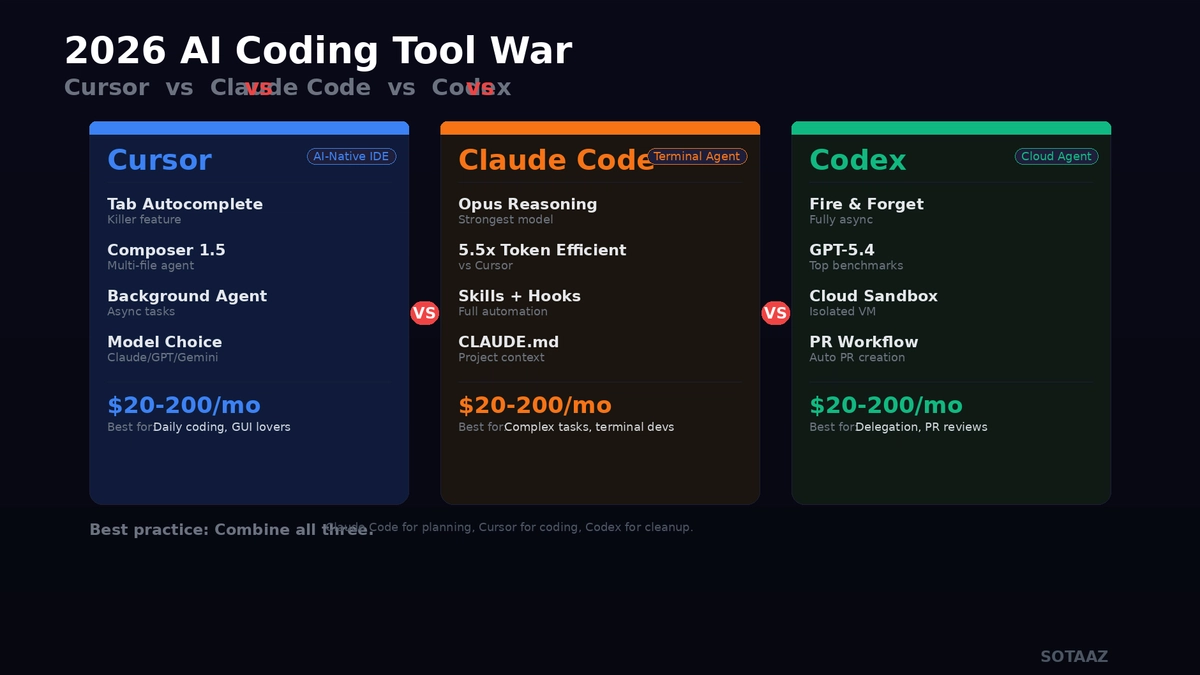
Cursor vs Claude Code vs Codex (2026): Pricing, How Each Agent Works, and Which to Use per Task
As of March 2026, the AI coding tool market is a three-way race. Cursor (AI-native IDE), Claude Code (terminal agent), and OpenAI Codex (cloud autonomous agent). All three "write code for you," but their approaches are fundamentally different.
This post compares the three tools based on actual usage, not marketing copy. Not which is best, but which fits which job.
Core Differences: 30-Second Summary
| Cursor | Claude Code | Codex | |
|---|---|---|---|
| Form | VS Code-based IDE | Terminal CLI | Cloud agent |
| How it works | Generate/edit code inside editor | Agent works from terminal | Async work in cloud VM |
| Core model | Claude, GPT, Gemini (your choice) | Claude Opus / Sonnet | GPT-5.4 / GPT-5.4 mini |
| Price | $20–$200/mo | $20–$200/mo | Included in ChatGPT ($20–$200) |
| Learning curve | Low (same as VS Code) | Medium (terminal required) | Low (chat interface) |
| Offline | No | Local file access available | No (cloud required) |
Cursor: VS Code with AI Built In
What It Does Well
Cursor is VS Code with AI baked in. Open the editor, AI is already there. Tab for autocomplete, Cmd+K for inline edits, Composer for multi-file agent work.
Tab autocomplete is Cursor's killer feature. Not just basic completion — it reads context around your cursor and predicts what you'll write next. Feels like 40–60% less typing.
Composer 1.5 is the multi-file agent mode. Say "add this feature" and it modifies multiple files simultaneously. Shows changes as diffs so you can review at the code level.
Background Agent runs separate tasks in the background. Hand off test suites, refactoring, or PR creation while you keep working. Available on Pro+ ($60/mo) and above.
When to Use It
- You want to see and modify code directly
- You need the VS Code extension ecosystem
- You need a consistent dev environment for your team
- You want zero learning curve
Limitations
- AI features require internet
- Quality varies significantly by model choice
- Token-based billing means complex tasks get expensive fast
- VS Code only (no JetBrains, etc.)
Claude Code: An Agent That Lives in Your Terminal
What It Does Well
Claude Code is a terminal AI agent. Not an IDE. Type claude, an agent appears in your terminal, and you talk to it in natural language while it generates code, modifies files, and makes git commits.
Reasoning ability is Claude Code's core strength. Claude Opus is currently the strongest reasoning model among coding agents. The gap shows on complex bug tracking, large-scale refactoring, and architecture design.
Token efficiency is excellent. Independent testing found that Claude Code (Opus) completed a benchmark task with 33K tokens and zero errors, while Cursor used 5.5x more tokens for the same work.
Extension system is powerful:
CLAUDE.md— project rules file.claude/commands/— custom slash commandsSKILL.md— repeatable task automation- Hooks — event-triggered auto-execution
- MCP servers — connect external tools
When to Use It
- Complex debugging or architecture design
- You're comfortable with terminal workflows
- You want IDE independence (Vim, Emacs, anything)
- You want git automation end-to-end
Limitations
- Terminal UI makes visual code comparison harder
- No editor integration means manual file navigation
- Need Max $200/mo to use Opus generously
- Entry barrier for beginners
OpenAI Codex: An Agent That Works Alone in the Cloud
What It Does Well
Codex is fundamentally different from the other two. It's an async agent. Describe a task, and Codex spins up a cloud VM, clones your repository, works in a sandbox, and creates a PR when done. Meanwhile, you do something else.
True "fire and forget." Cursor and Claude Code need you watching. Codex works independently.
GPT-5.4 powers it. Top-tier coding benchmark performance. For lighter tasks, GPT-5.4 mini saves 70% on costs.
Codex CLI is also available. An open-source CLI tool that runs locally. Supports multimodal input (screenshots, diagrams) with built-in web search.
When to Use It
- You want to assign work and move on
- You need parallel tasks running simultaneously
- PR-based team workflows
- You're already in the OpenAI ecosystem (ChatGPT, API)
Limitations
- No real-time interaction (hard to adjust mid-task)
- Cloud required, no offline
- Long feedback loop makes trivial fixes inefficient
- Sandbox env may differ from your local setup
Pricing Comparison: March 2026
Cursor
| Plan | Price | Key Features |
|---|---|---|
| Free | $0 | Limited Tab, basic agent |
| Pro | $20/mo | Unlimited Tab, extended agent |
| Pro+ | $60/mo | Background Agent, 3x usage |
| Ultra | $200/mo | 20x usage, priority access |
| Business | $40/mo/seat | Team admin, SSO |
Billing: Token-based. Actual cost varies by model and task complexity.
Claude Code
| Plan | Price | Key Features |
|---|---|---|
| Pro | $20/mo | Sonnet-focused, limited Opus |
| Max (Sonnet) | $100/mo | Unlimited Sonnet |
| Max (Opus) | $200/mo | 20x Pro Opus usage |
| Team | $30/mo/seat | Team features |
| API direct | Usage-based | Opus $15/M output tokens |
Billing: Plan-based + usage limits. Max plan is effectively unlimited.
OpenAI Codex
| Plan | Price | Key Features |
|---|---|---|
| Free/Go | $0 | Limited Codex access |
| Plus | $20/mo | Codex included, standard usage |
| Pro | $200/mo | Maximum usage, GPT-5.4 |
Billing: Included in ChatGPT subscription. Additional credits purchasable.
Recommendations by Task
Starting a New Project (MVP/Prototype)
Pick: Cursor — When starting from scratch, Tab autocomplete + Composer is the fastest combo. Files get created and filled in real-time.
Complex Bug Hunting
Pick: Claude Code — Say "I don't know why this error happens" and Claude Opus searches your codebase, reasons through causes, and proposes fixes. Strongest where reasoning matters.
Large-Scale Refactoring
Pick: Codex or Claude Code — Codex handles it async and delivers a PR. Claude Code does it interactively. Choose by scale.
Code Review
Pick: Codex — Fits naturally into PR-based workflows. Assign a review and get comments and fix suggestions.
Rapid Prototyping (Non-Developers)
Pick: Cursor — GUI-based with the lowest learning curve. Seeing code change in real-time makes it accessible to non-developers.
Repetitive Automation
Pick: Claude Code — Skills + Hooks + Custom Commands let you automate recurring tasks. "Create a component" → 3 files auto-generated.
Better Together
The 2026 best practice isn't picking one — it's combining them.
Claude Code → Architecture design, write CLAUDE.md
Cursor → Daily coding, Tab autocomplete
Codex → Background refactoring, PR reviews
Many developers use this exact combo. Claude Code for the big picture, Cursor for implementation, Codex for cleanup.
Unified Rules Files
All three support project rules:
# AGENTS.md as source, symlink for each tool
ln -s AGENTS.md CLAUDE.md
ln -s AGENTS.md .cursorrules
Edit one file, apply to all three tools.
Conclusion: Which Should You Use?
"Which is best?" is the wrong question. "Which fits my work?" is the right one.
| Situation | Recommendation |
|---|---|
| Love VS Code, prefer GUI | Cursor |
| Terminal is home, complex tasks | Claude Code |
| Want to delegate and get results | Codex |
| Team needs a unified tool | Cursor Business |
| Budget: $20/mo | All three have $20 plans. Cursor Pro best value |
| Budget: $200/mo | Claude Code Max (Opus) strongest reasoning |
| Non-developer | Cursor (lowest learning curve) |
All three tools are evolving rapidly. Comparisons from 6 months ago are already outdated. The best approach: try all three on free plans and pick what fits your workflow.
Subscribe to Newsletter
Related Posts
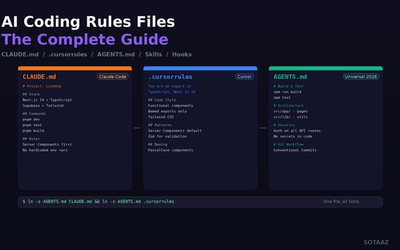
CLAUDE.md, .cursorrules, AGENTS.md — How to Give Context to AI Coding Agents
The complete guide to Claude Code CLAUDE.md, Cursor .cursorrules, and the universal AGENTS.md standard. All the ways to give your AI agent project context.
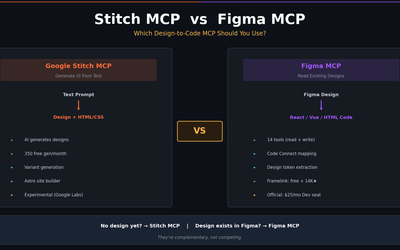
Stitch MCP vs Figma MCP — Which Design-to-Code MCP Should You Use?
Full comparison of Google Stitch MCP and Figma MCP (official + Framelink) — tools, pricing, output quality, and real-world use cases. Stitch generates designs from text; Figma MCP reads existing designs. Here's how to choose.
Google Stitch MCP Setup Guide — Claude Code, Cursor, Gemini CLI (2026)
Step-by-step Stitch MCP setup for every AI coding platform. Auto-install, manual config, UI generation examples, and troubleshooting — everything the official docs skip.