CLAUDE.md, .cursorrules, AGENTS.md — How to Give Context to AI Coding Agents
The complete guide to Claude Code CLAUDE.md, Cursor .cursorrules, and the universal AGENTS.md standard. All the ways to give your AI agent project context.
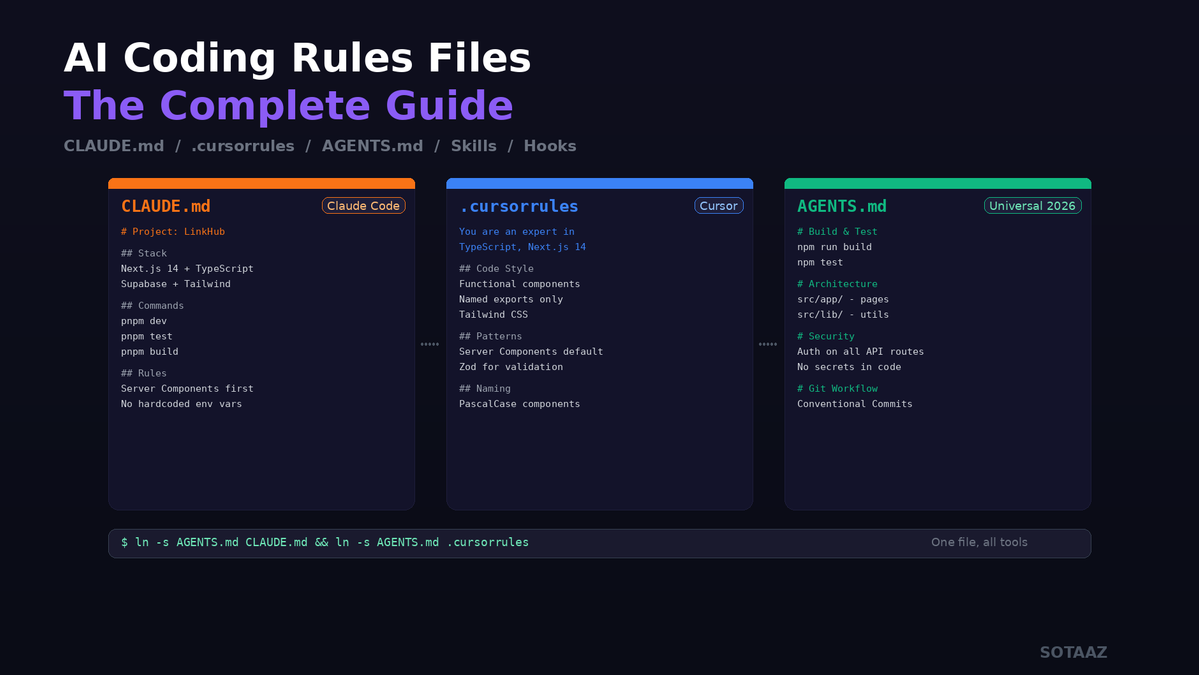
CLAUDE.md, .cursorrules, AGENTS.md — How to Give Context to AI Coding Agents
In April 2026, a single CLAUDE.md file uploaded by Karpathy hit 48,900 GitHub stars — 7,900 in a single day. How does a plain markdown file raise AI coding accuracy from 65% to 94%?Are you repeating yourself every session? "Use TypeScript", "This is App Router", "Always run tests" — there's a file for that. A markdown file in your project root that your AI reads automatically, every time.
This post covers everything: Claude Code's CLAUDE.md, Cursor's .cursorrules, and the 2026 universal standard AGENTS.md — all the ways to give your AI coding agent project context. Starting from Karpathy's case, all the way to universal principles you can apply with any tool.
Why You Need Rules Files
AI coding tools are smart, but they don't know your project.
❌ Every session:
"This project uses Next.js 14 App Router."
"We use Supabase for DB."
"Tests are in vitest."
"Write commit messages in English."

✅ Write once:
Put it in a rules file. AI reads it automatically.
A rules file is an onboarding document for AI. Like the doc you give a new developer joining your team — except the reader is an AI agent.
The deeper issue is the AI memory problem. AI forgets everything when a session ends — rules files are auto-loaded "unforgettable notes" that survive every session.
Rules Files by Tool
| Tool | File | Location | Notes |
|---|---|---|---|
| Claude Code | CLAUDE.md | Project root | Auto-generate with /init |
| Cursor | .cursorrules | Project root | Or .cursor/rules/ directory |
| GitHub Copilot | .github/copilot-instructions.md | .github/ | For Copilot Agent Mode |
| Windsurf | .windsurf/rules/ | .windsurf/ | Directory-based |
| OpenAI Codex | AGENTS.md | Project root | Universal standard |
| Google Jules | JULES.md | Project root | Jules-specific |
Common thread: They're all markdown. No special syntax. Just write plain markdown.
Deep Dive: CLAUDE.md
What Is CLAUDE.md
The first file Claude Code reads when you start a session. Place CLAUDE.md in your project root, and it's automatically included in context for every conversation.
Quickest Start: /init
cd my-project
claude
# Inside Claude Code:
/init
/init analyzes your project structure and auto-generates a CLAUDE.md draft. If the file already exists, it suggests improvements instead.
Anatomy of a Good CLAUDE.md
The most famous example is Karpathy's 48K-star CLAUDE.md — his 4 rules (Think Before Coding, Simplicity First, Surgical Changes, Goal-Driven Execution) capture universal patterns applicable to almost any project.
Based on analyses from Builder.io, HumanLayer, Dev Genius, and Karpathy's template, effective CLAUDE.md files share common patterns:
# Project: LinkHub

## Quick Facts
- Stack: Next.js 14 (App Router) + TypeScript + Supabase
- Package manager: pnpm
- Test: vitest
- Lint: eslint + prettier

## Commands
- `pnpm dev` — dev server
- `pnpm test` — run tests
- `pnpm build` — production build
- `pnpm lint` — lint check

## Architecture
- `src/app/` — App Router pages & API routes
- `src/lib/` — shared utilities, DB client
- `src/ui/` — UI components
- `supabase/migrations/` — DB migrations

## Rules
- Server Components first. 'use client' only when necessary
- All DB queries go in src/lib/queries.ts
- Never hardcode environment variables
- Commit messages: Conventional Commits (feat:, fix:, chore:)
- Must pass `pnpm test && pnpm build` before PR
Core Principle: Short, Opinionated, Explain the "Why"
Keep it under 200 lines. CLAUDE.md loads into context every session. Longer files eat context window budget, and Claude starts ignoring content it deems irrelevant.
Don't:
- Dump all code style rules — let ESLint/Prettier handle that
- List every possible command — only the ones actually used
- Write essay-length architecture docs — keep it tight, link to separate docs
Directory-Scoped Rules: .claude/rules/
For large projects, one CLAUDE.md isn't enough. The .claude/rules/ directory lets you split rules by topic and file path.
.claude/
└── rules/
    ├── general.md          # Always loaded
    ├── frontend.md         # paths: ["src/app/**", "src/ui/**"]
    ├── api.md              # paths: ["src/app/api/**"]
    └── database.md         # paths: ["supabase/**"]
Path-scoped rules use YAML frontmatter:
---
paths:
  - "src/app/api/**"
  - "src/lib/queries.ts"
---

# API Rules
- Auth middleware on all API routes
- Error responses: { error: string, code: number }
- Rate limiting handled in middleware
These rules activate only when Claude reads files matching the glob patterns.
Deep Dive: .cursorrules
What Is .cursorrules
Cursor IDE's rules file. Create .cursorrules in your project root, and all Cursor AI features (Composer, Tab, Chat) reference these rules.
Real-World Example
You are an expert in TypeScript, Next.js 14 App Router, and Tailwind CSS.

## Code Style
- Use functional components with TypeScript interfaces
- Prefer named exports
- Use Tailwind for styling, no CSS modules
- All components go in src/components/

## Naming
- Components: PascalCase (UserProfile.tsx)
- Utilities: camelCase (formatDate.ts)
- Types: PascalCase with prefix (IUserProfile, TApiResponse)

## Patterns
- Use React Server Components by default
- Client components only when useState/useEffect is needed
- Data fetching in Server Components, not in useEffect
- Use Zod for runtime type validation
awesome-cursorrules: Community Collection
PatrickJS/awesome-cursorrules has hundreds of framework/language-specific .cursorrules templates. Next.js, React Native, Python FastAPI, Go, Rust — grab the rules for your stack and customize.
.cursor/rules/ Directory
Cursor also supports directory-based rules. Place markdown files in .cursor/rules/ — same concept as Claude Code's .claude/rules/.
AGENTS.md: The 2026 Universal Standard
Why a New Standard
The problem is fragmentation. Claude Code wants CLAUDE.md, Cursor wants .cursorrules, Copilot wants .github/copilot-instructions.md... Rewriting rules every time you switch tools is wasteful.
In 2026, Google, OpenAI, Sourcegraph, Cursor, and Factory agreed on AGENTS.md as the universal standard.
How AGENTS.md Works
project-root/
├── AGENTS.md              ← project-wide rules
├── src/
│   ├── AGENTS.md          ← src/ scoped rules
│   └── api/
│       └── AGENTS.md      ← API-specific rules
└── tests/
    └── AGENTS.md          ← test-specific rules
Nearest file wins. Agents automatically read the closest AGENTS.md in the directory tree. Subdirectory files override parent files.
What to Put in AGENTS.md
GitHub's blog analyzed 2,500+ repositories and found that effective AGENTS.md files share these sections:
- Build & Test — exact build/test commands
- Architecture — major module descriptions
- Conventions — naming, folder structure, code style
- Security — auth flows, API key management, sensitive data
- Git Workflow — branching strategy, commit rules, PR requirements
Migrating from Existing Files
Use symlinks to maintain both files simultaneously:
# AGENTS.md as the source of truth, others as symlinks
ln -s AGENTS.md CLAUDE.md
ln -s AGENTS.md .cursorrules
Edit one file, apply to all tools.
Beyond Rules: Claude Code Skills & Commands
Claude Code extends beyond rules files with a more powerful system.
Custom Slash Commands
Create markdown files in .claude/commands/ and they automatically become slash commands.
.claude/commands/
├── review.md       → /review
├── test-all.md     → /test-all
└── deploy.md       → /deploy
review.md example:
Analyze the current git diff and perform a code review.
- Check for security vulnerabilities
- Check for performance issues
- Check for code style consistency
Output a summary in markdown format.
Now type /review in Claude Code and this prompt executes.
Skills (SKILL.md)
The advanced version of slash commands. Create a SKILL.md file in .claude/skills/.
---
name: create-component
description: Creates a new React component with tests and stories
---

Create a new component following these rules:

1. `src/ui/{ComponentName}/{ComponentName}.tsx` for the component
2. `src/ui/{ComponentName}/{ComponentName}.test.tsx` for tests
3. Define props with an interface
4. No default exports, named exports only
5. Use Tailwind CSS

Use $ARGUMENTS as the component name.
Run /create-component UserCard and 3 files are auto-generated.
Hooks
Scripts that run automatically on specific events.
# Inside Claude Code
/hooks
Examples:
- After file save — auto-run ESLint
- Before commit — auto-run tests
- On session start — auto-run git pull
Real-World: steipete's agent-rules
iOS/macOS developer Peter Steinberger (@steipete) open-sourced his AI agent rules. 20+ rule files showing patterns used in real production projects.
Structure:
global-rules/— rules that apply across all projectsproject-rules/— project-specific rules- MCP server configs, multi-agent coordination rules, etc.
This kind of sharing is turning AI agent rules from personal know-how into community-shared standards.
Get Started Now: Checklist
Step 1: Create the File for Your Tool
# Claude Code
cd my-project && claude
# Inside Claude Code, run /init

# Cursor
touch .cursorrules
# Or Cursor Settings > Rules for AI
Step 2: Include at Minimum
## Stack
- [framework, language, DB, deploy tool]

## Commands
- dev: [dev server command]
- test: [test command]
- build: [build command]

## Rules
- [your top 3-5 most important rules]
Step 3: Review Every 2 Weeks
# In Claude Code
"Review my CLAUDE.md and suggest improvements"
Rules accumulate, duplicate, and conflict over time. Clean up regularly.
Going Deeper: From Rules Files to Knowledge Systems
Rules files are a starting point. As your project grows, a single rules file isn't enough:
- External knowledge accumulation — How do you preserve learnings from papers, repos, and articles?
- Cross-session decision tracking — How will you remember "why we picked this library" a month from now?
- Health checks — How do you clean up rules that conflict over time?
- Auto capture — Tired of writing memory entries manually?
The system that integrates all of this is the LLM Knowledge Base Kit. Starting from CLAUDE.md, it's a permanent knowledge system combining Obsidian and Claude Code — designed around two axes (wiki for external knowledge, memory for internal knowledge). Full build guide in a separate post.
Summary
| File | Tool | Key Takeaway |
|---|---|---|
CLAUDE.md | Claude Code | Start with /init, keep under 200 lines |
.cursorrules | Cursor | Grab templates from awesome-cursorrules |
AGENTS.md | Universal (2026 standard) | Symlink to unify with other files |
.claude/rules/ | Claude Code | Path-scoped rules per directory |
.claude/commands/ | Claude Code | Custom slash commands |
SKILL.md | Claude Code | Advanced automation skills |
The performance of AI coding tools depends less on the tool itself and more on how you give it context. Rules files are the lowest-effort, highest-impact way to do that.
Subscribe to Newsletter
Related Posts
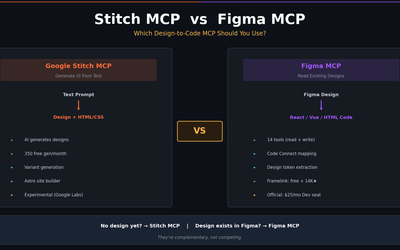
Stitch MCP vs Figma MCP — Which Design-to-Code MCP Should You Use?
Full comparison of Google Stitch MCP and Figma MCP (official + Framelink) — tools, pricing, output quality, and real-world use cases. Stitch generates designs from text; Figma MCP reads existing designs. Here's how to choose.
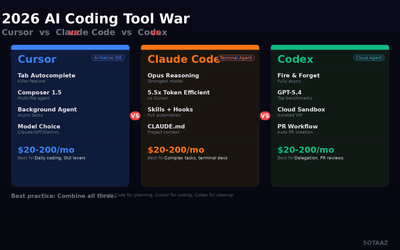
2026 AI Coding Tool War: Cursor vs Claude Code vs Codex — Hands-On Comparison
Cursor, Claude Code, and OpenAI Codex in a three-way race. Pricing, features, and task-based recommendations from real usage.
Google Stitch MCP Setup Guide — Claude Code, Cursor, Gemini CLI (2026)
Step-by-step Stitch MCP setup for every AI coding platform. Auto-install, manual config, UI generation examples, and troubleshooting — everything the official docs skip.