CLAUDE.md Templates for Five Project Types — Copy, Paste, and the Rules That Actually Change Agent Behavior
Five CLAUDE.md/AGENTS.md templates — Next.js, Python ML, monorepo, data pipeline, research notebook — plus which lines agents actually obey and how to use a rules file to govern side effects.
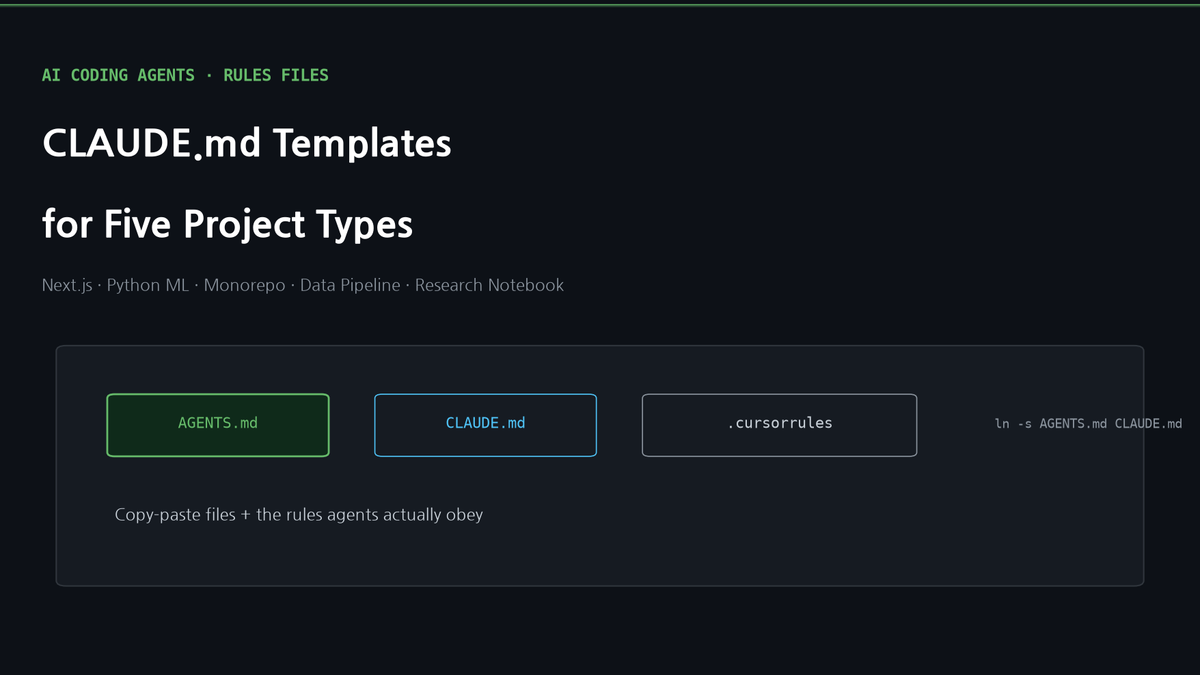
CLAUDE.md Templates for Five Project Types — Copy, Paste, and the Rules That Actually Change Agent Behavior
Our earlier guide to CLAUDE.md, .cursorrules, and AGENTS.md explained *what* these files are. The question people asked afterward was simpler: "Just give me one I can paste."
This post is five of them — a Next.js app, a Python ML repo, a monorepo, a data pipeline, and a research-notebook project — plus the part most template collections skip: which lines are decorative and which lines an agent will actually obey. Every template here is trimmed to what we have seen change behavior in practice, including our own blog's rules file, which we quote at the end because it does one unusual thing.
First, What Agents Actually Read
A rules file is not documentation. It is a system prompt fragment that gets injected into every turn. That has three consequences that decide whether a template is worth anything:
- Length is a tax. Every line costs context on every turn. A 400-line CLAUDE.md is mostly ignored by turn three. Aim for 40–80 lines; put the long material in linked files the agent can open when relevant.
- Commands beat descriptions. "We use pytest" does nothing.
pytest tests/ -x -qis something the agent runs. Rules that name an exact command, path, or file get followed; rules that describe a philosophy get paraphrased into nothing. - Prohibitions need a reason and a replacement. "Don't use
any" gets violated. "Don't useany— useunknownand narrow, because the API layer is untyped upstream" gets followed, because the agent can now decide the edge cases you didn't list.
Also worth knowing: as of 2026, AGENTS.md is the cross-tool name (Claude Code, Codex, Cursor, Gemini CLI, Copilot all read it), and Claude Code additionally reads CLAUDE.md. Keep one source of truth and symlink the other: ln -s AGENTS.md CLAUDE.md. Every template below works under either name.
Template 1: Next.js App (App Router, TypeScript, Tailwind)
The most common project type and the one where agents most often break conventions they can't see — server/client component boundaries, data fetching, and env handling.
# Project: <name> — Next.js 15 App Router

## Commands
- Dev: `npm run dev` · Build: `npm run build` (must pass before PR) · Lint: `npm run lint`
- Tests: `npm test` (Vitest). Run a single file: `npx vitest run src/lib/foo.test.ts`
- Type check: `npx tsc --noEmit` — run after any change to `src/types/`

## Architecture
- `src/app/(marketing)/` public pages · `src/app/(app)/` authenticated routes · `src/app/api/` route handlers
- `src/lib/` pure functions and server-only data access (`import 'server-only'` at top)
- `src/ui/` presentational components. No data fetching in `src/ui/`.
- Data: Prisma via `src/lib/prisma.ts` only. Never `new PrismaClient()` elsewhere.

## Rules
- Default to Server Components. Add `'use client'` only for hooks/event handlers, and keep the client file small.
- Fetch in `page.tsx`/`layout.tsx` or `src/lib/`, pass data down. No `useEffect` fetching.
- Env vars: read only in `src/lib/env.ts` (zod-validated). Never `process.env.X` inline; never prefix secrets with `NEXT_PUBLIC_`.
- Tailwind only; no CSS modules, no inline `style=` except for dynamic values.
- Route handlers return `NextResponse.json`; validate bodies with zod before touching the DB.
- After changing a route, hit it once with `curl` and paste the status line in your summary.

## Don't
- Don't add a dependency without saying why in the PR description.
- Don't edit `prisma/schema.prisma` without also running `npx prisma generate` and mentioning the migration.
What matters here: the src/lib/prisma.ts-only rule and the env.ts rule are the two that prevent the bugs agents introduce most (duplicate clients, leaked secrets). The "hit it once with curl" line converts "I implemented it" into "I verified it".
Template 2: Python ML / Research Codebase
Agents in ML repos tend to (a) run training on the wrong GPU, (b) silently change defaults in configs, (c) leave notebooks in a broken state. The template targets all three.
# Project: <name> — PyTorch training + eval

## Environment
- Python env: `conda activate <env>` (never the base env). Deps in `pyproject.toml`; add with `uv add`, not pip.
- GPUs: check `nvidia-smi` first. Use `CUDA_VISIBLE_DEVICES=<free id>`; never launch on a GPU that has >10GB in use.
- Data lives in `/data/<project>/` (read-only). Outputs go to `runs/<date>-<name>/`. Never write into `data/`.

## Commands
- Smoke test (30s): `python train.py --config configs/smoke.yaml`
- Full run: `python train.py --config configs/base.yaml --run-name <name>` (logs to `runs/`)
- Eval: `python eval.py --ckpt runs/<run>/best.pt --split val`
- Tests: `pytest tests/ -x -q` — must pass before any config change is committed

## Rules
- Config changes go in a new YAML under `configs/`, never by editing `base.yaml` in place. Name it after the hypothesis.
- Every run writes `runs/<run>/config.yaml` (frozen copy) and `metrics.json`. If a script doesn't, fix the script first.
- Report numbers with the run directory that produced them. A number without a run path is not a result.
- Seeds: `--seed` is mandatory on anything reported; run 3 seeds before claiming an improvement >1%.
- Notebooks (`notebooks/`) are scratch. Anything that needs to survive gets moved into `src/` with a test.
- Don't change `eval.py` metrics logic. If a metric is wrong, open an issue; don't fix it in-line mid-experiment.

## When training fails
- OOM → halve `batch_size`, double `grad_accum`, note it in the run name. Don't silently lower resolution/seq length.
- NaN loss → stop, save the batch that caused it (`--dump-nan-batch`), report; don't add `nan_to_num`.
The two rules that pay for themselves: "a number without a run path is not a result" and the NaN rule. Both stop the agent from doing the thing that looks like progress and isn't.
Template 3: Monorepo (Turborepo / pnpm workspaces)
The failure mode is scope: agents edit shared packages to fix one app, or run the whole repo's tests for a one-package change. Monorepos are where nested AGENTS.md files earn their keep.
# Monorepo: <name> — pnpm + Turborepo

## Layout
- `apps/web` (Next.js) · `apps/api` (Fastify) · `apps/worker` (BullMQ)
- `packages/ui` (shared React) · `packages/db` (Prisma + client) · `packages/config` (eslint/tsconfig)
- Each package has its own `AGENTS.md` with package-specific rules. **Nearest file wins.** Read it before editing.

## Commands (run from repo root)
- Install: `pnpm i` · Build all: `pnpm turbo build` · Test one package: `pnpm --filter @acme/api test`
- Lint changed: `pnpm turbo lint --filter=...[origin/main]`
- Never run `pnpm turbo test` without a filter unless you touched `packages/`.

## Rules
- A change in `packages/*` is a change to every app. Say so in the PR title (`[packages/db] ...`) and run every dependent app's tests.
- Don't import across apps (`apps/web` → `apps/api`). Shared code goes in `packages/`.
- Version bumps: `pnpm changeset` — never edit `package.json` versions by hand.
- Generated code (`packages/db/generated/`, `*.d.ts` from codegen) is never edited; re-run the generator.

## Ownership
- `packages/db` schema changes need a migration file AND a note in `packages/db/CHANGELOG.md`.
- `apps/worker` jobs must be idempotent; see `apps/worker/AGENTS.md` for the retry contract.
And one nested file, packages/db/AGENTS.md:
# packages/db
- Schema: `prisma/schema.prisma`. After any change: `pnpm prisma generate && pnpm prisma migrate dev --name <what-changed>`.
- Never `prisma db push` against anything but a local DB.
- New tables need: a migration, a seed entry in `seed.ts` if the app needs rows to boot, and a line in CHANGELOG.md.
The nested file is short on purpose. It exists so the root file doesn't have to carry database rules that only matter in one directory.
Template 4: Data Pipeline (Airflow / dbt / warehouse)
Pipelines have the worst blast radius: a wrong WHERE clause backfills garbage into a table other teams read. The rules are about reversibility and dry runs.
# Project: <name> — Airflow DAGs + dbt models on BigQuery

## Commands
- Local Airflow: `make airflow-up` (docker) · Test a DAG parses: `python dags/<dag>.py`
- dbt: `dbt build --select <model>+ --target dev` (never `--target prod` from a laptop)
- Dry-run a query: `bq query --dry_run --use_legacy_sql=false < query.sql` — paste the bytes-scanned in your summary
- Tests: `dbt test --select <model>` and `pytest tests/`

## Rules
- Every new model needs: `schema.yml` with `description` and at least `unique` + `not_null` tests on its key.
- Incremental models must define `unique_key` and be safe to re-run for the same partition (idempotent).
- Backfills: never more than 7 days in one run without an explicit `--backfill-approved` flag in the DAG. Say what will be overwritten before running.
- No `SELECT *` in models that other models read; list columns.
- Cost: any query scanning >100GB needs a partition filter or a comment explaining why not.
- Timezones: everything is UTC in the warehouse. Convert at the presentation layer only.

## Don't
- Don't hardcode dataset names; use `{{ source() }}` / `{{ ref() }}`.
- Don't delete rows to "fix" data. Write a correcting model and document the reason.
The line that saves the most money is the dry-run rule. The line that saves the most trust is "say what will be overwritten before running".
Template 5: Research Notebook Project (papers, experiments, blog reproductions)
This is the project type we run this blog on: reproduce a paper, run a sweep, write it up. The rules are about provenance — every number in a write-up must trace to a cell that produced it.
# Project: <name> — experiments + write-ups

## Layout
- `notebooks/<topic>-<n>.ipynb` exploratory · `src/` reusable code with tests · `results/<topic>/*.json` raw outputs · `figures/` generated only by `scripts/plot_*.py`
- `drafts/` write-ups. A draft cites `results/` files, never numbers typed by hand.

## Commands
- Env: `conda activate research` · GPU check: `nvidia-smi` before any run
- Run an experiment: `python src/run.py --exp <name> --out results/<topic>/<name>.json`
- Regenerate all figures: `python scripts/plot_all.py` (idempotent; commit the PNGs)

## Rules
- Every experiment script saves: config, seed, git commit hash, wall-clock time, and the raw metrics. No exceptions.
- A claim in a draft ("X is 4.6x faster") must link to the JSON that supports it. If the JSON doesn't exist, the sentence doesn't ship.
- Baselines run in the same session as the treatment, on the same hardware. Never compare against a number from a paper without saying so.
- When a result contradicts the paper, report it as-is and list the differences in setup. Don't tune until it matches.
- Notebooks are cleared of outputs before commit (`nbstripout`) except for `notebooks/final/`.

## Writing
- Headings and bold claims must not outrun the numbers in the body. Audit bold text before publishing.
- Say what the experiment does *not* show, in its own section.
If you only take one rule from this whole post, take "the sentence doesn't ship without the JSON". It is the single biggest difference between a blog that people trust and one they don't.
What Our Own CLAUDE.md Does That These Don't
The blog you're reading has a rules file that goes one step further than any template above: it uses the rules file to govern side effects. Every outward effect in the codebase — email, Stripe, database writes, Sanity publishes — is registered in a manifest with a choke-point file, and the rules file tells the agent:
New exits (a new SDK, a new API, a new write path) are registered ineffects.manifest.jsonbefore the code. If you can't fill inchoke_point,log_stream, andrecon, the effect isn't ready to be added — ask.
and
A "don't run" path is also recorded as skip(reason). Never a silent fall-through.and, the one that has caught the most bugs:
Before declaring done, run npm run verify. If it isn't exit 0, it isn't done.These three lines turned "the agent added an email send somewhere" into "the agent could not add an email send without registering where it's logged and how we'd notice if it silently stopped". That is what a rules file is for: not to describe the codebase, but to make the wrong thing hard to do.
You don't need the full governance system to borrow the pattern. The general form is:
## Side effects
- Anything that sends, charges, writes externally, or deletes goes through `src/lib/<effect>.ts`. Never construct the client elsewhere.
- Every branch that decides *not* to act logs why. No silent skips.
- `npm run verify` must exit 0 before you say a task is done. Paste its last line.
Checklist Before You Commit a Rules File
- [ ] Under ~80 lines? If not, what can move to a linked doc?
- [ ] Every rule names a command, path, or file — not a philosophy?
- [ ] Every "don't" has a reason and a replacement?
- [ ] Is there one line that turns "implemented" into "verified" (a test command, a curl, a dry run)?
- [ ] Nested
AGENTS.mdfor the one directory with special rules, instead of bloating the root? - [ ] Symlinked so every tool reads the same file (
ln -s AGENTS.md CLAUDE.md)?
All five templates are also in a single gist-style file in the companion download so you can copy the one you need without scrolling.
References
- CLAUDE.md, .cursorrules, AGENTS.md — How to Give Context to AI Coding Agents (our earlier guide)
- AGENTS.md — the cross-tool format
- Claude Code memory docs
- GitHub Blog: what 2,500+ AGENTS.md files have in common
Subscribe to Newsletter
Related Posts
Mobile Claude Code: three approaches, and what actually works
Three ways to reach Claude Code from your phone — tmux + SSH, /remote-control, and server-based agents. The real fix isn't "mobile support" but decoupling compute from your device.
Build Your Own LLM Knowledge Base — A Karpathy-Style Knowledge System
Complete guide to building a permanent personal knowledge system with Obsidian + Claude Code. Wiki + Memory dual-axis architecture.
Why Karpathy's CLAUDE.md Got 48K Stars — And How to Write Your Own
One markdown file raised AI coding accuracy from 65% to 94%. Analyzing Karpathy's 4 rules and practical writing guide.